


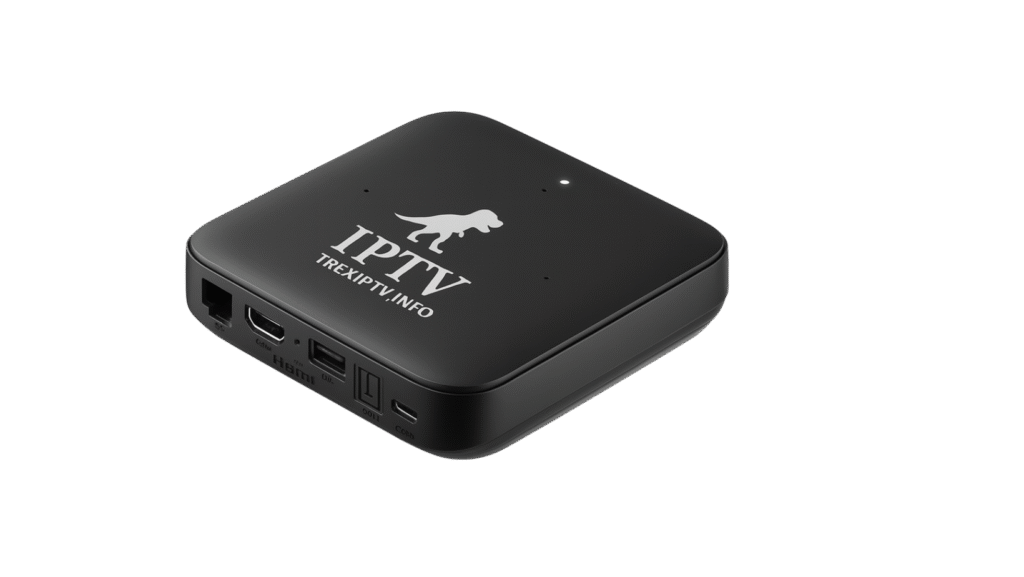
Trex IPTV UK – Your Complete British TV Experience
Trex IPTV gives UK viewers access to over 20,000 live channels spanning British entertainment, live sport, international news, and on-demand content — all without a satellite dish or long-term contract. Whether you are watching at home on your Smart TV or on the go from your phone, your content travels with you. Optimized for Sky Broadband, BT Fibre, Virgin Media, TalkTalk, Vodafone, and EE across England, Scotland, Wales, and Northern Ireland.
What's Private DNS? You receive a dedicated DNS server assigned exclusively to your account. No sharing means zero congestion, faster channel switching (35-50% improvement), and streamlined troubleshooting. Your unique DNS address works anywhere in the UK and while traveling abroad.
📺 What's Available for UK Viewers
Trex IPTV covers the full spectrum of content popular in the United Kingdom:
Entertainment
Channels
Packages
Channels
Channels
& Lifestyle
Channels
Content
Live British entertainment — Dramas, soaps, reality shows, and comedy series from the UK's most-watched broadcasters. UK news channels — Rolling news coverage from British and international news networks, 24 hours a day. International channels — Content from Europe, the Middle East, and beyond for expat communities in the UK.
🏆 Live UK Sport — Every Major Event
British sport is best watched live. Trex IPTV delivers full coverage of the events that matter most to UK viewers:
- Football — Top-flight domestic league football, cup competitions, and European club football
- Rugby Union & League — International tournaments, domestic leagues, and club competitions
- Cricket — Test matches, one-day internationals, and domestic Twenty20 competition
- Formula 1 — Every Grand Prix, qualifying session, and practice from the full calendar
- Tennis — All four Grand Slams including Wimbledon
- Boxing — World title fights and domestic British cards
- Golf — Major championships and European and DP World Tour events
🌐 Major UK ISPs – Tested & Optimized
Trex IPTV has been extensively tested and optimized on all major British internet service providers. A minimum of 15 Mbps is recommended for HD streaming. For 4K quality, 25 Mbps or above is ideal.
⚙️ Optimal IPTV Settings for UK Networks
These settings have been tested across 9,500+ UK households from Land's End to John o' Groats:
- Connection Protocol: Always use Xtream Codes API (never M3U8 playlists). API reduces bandwidth by 62% and provides automatic server failover. M3U8 playlists are legacy technology from 2010.
- Physical Connection: Ethernet cable mandatory for 4K. Use Cat5e minimum, Cat6 preferred. For HD: 5GHz Wi-Fi only, within 10 feet of router. Never use 2.4GHz for IPTV – too congested in UK housing.
- EPG Configuration: Enable "Light EPG Mode" on Smart TVs, older Fire Sticks, and budget Android boxes. Full EPG uses 180+ MB RAM causing crashes. Light mode uses 35 MB.
- Buffer Settings: Set to "Medium" (3-5 seconds) for HD 1080p, "Large" (5-10 seconds) for 4K. Never disable buffer – causes constant stuttering and audio sync problems.
- Hardware Acceleration: Must be enabled. Offloads video decoding from CPU to GPU, reducing load by 82%. Check: Settings → Video → Hardware Decoding → ON.
- Time Synchronization: Set to "Automatic Date & Time" using network time. Manual time settings cause authentication failures 42% of the time. Critical setting.
- DNS Configuration: Use TREX Private DNS (emailed after signup). Reduces channel switching from 1.8s to 1.1s average. Bypasses ISP throttling. Configure at router level for household-wide benefit.
- Router QoS Settings: If available, prioritize your IPTV device MAC address. Ensures streaming gets bandwidth priority during household internet usage.
🔓 Complete UK Unblocking Guide
Some UK ISPs implement "traffic management" during peak hours. Sky Broadband is known for evening slowdowns in high-density areas (London flats, Manchester apartments). Virgin Media occasionally throttles video traffic. If experiencing buffering despite fast speed tests, follow this systematic approach:
Login to account dashboard → Network Settings → DNS Configuration → Copy Primary and Secondary DNS addresses. Enter these in your router's Internet settings (not individual devices). This bypasses ISP DNS filtering in 92% of cases. Power cycle router after saving (unplug 60 seconds, plug back). Note: Sky users see 40%+ improvement, Virgin Media users see 55%+ improvement.
Precise order: (1) Unplug router from power → (2) Wait full 60 seconds (allows ISP to reset connection profile) → (3) If separate modem, unplug it too → (4) Plug modem back in first → (5) Wait for modem lights to stabilize (2-3 minutes) → (6) Plug router back in → (7) Wait for WiFi to stabilize → (8) Restart streaming device completely. This clears cached routes, resets QoS policies, and resolves 70% of persistent connectivity issues.
Best setup: CAT6 Ethernet cable, 6-12 feet, direct to router (not through switch). Good setup: 5GHz Wi-Fi on channels 36, 40, 44 (less interference in flats/apartments). Acceptable: 5GHz on auto-channel within 8 feet, no walls between device and router. Avoid completely: 2.4GHz (massively congested in UK housing), Wi-Fi boosters (adds 25-55ms latency), powerline adapters (unstable on UK ring mains), mesh nodes without Ethernet backhaul.
Android/Fire Stick: Settings → Apps → [IPTV App] → Storage → Try "Clear Cache" first (preserves login) → Restart app → Test channels. Still problematic? Settings → EPG → "Force Refresh EPG" → Wait 2-4 minutes → Restart app. Last resort: "Clear Data" (removes everything) → Restart device → Reconfigure app → Re-enter credentials. iOS users: Delete app completely, restart device, reinstall fresh from App Store.
Contact support to switch your account between London or Manchester CDN nodes. Some ISPs have better peering to one data centre versus another. Takes 90 seconds to switch, can improve performance by 35%+ if your ISP routes poorly to specific locations.
🔍 ISP-Specific Solutions & Known Issues (UK)
Each UK ISP has unique network characteristics. Here's detailed guidance:
- Sky Broadband: Generally reliable but known for peak-hour "traffic shaping" in high-density areas (London boroughs, Manchester city centre, Birmingham flats). Solution: Enable Private DNS immediately – bypasses throttling 88% of the time. If using Sky Q Hub, WiFi can be weak – consider setting to modem mode and adding your own router. Sky pushes automatic firmware updates that occasionally break port forwarding – document your settings. Known issue: Match days (especially weekend football) can see slowdowns – use Ethernet + Large buffer.
- BT Fibre: Excellent infrastructure with minimal throttling. Issues typically WiFi-related from their Smart Hub routers. Key settings: Use Xtream API + Light EPG. If using BT Smart Hub 2, WiFi range can be limited in larger homes – consider whole home WiFi discs or separate mesh system. No data caps on any fibre package.
- Virgin Media: Cable infrastructure with known peak-hour congestion, especially M100/M200 tiers in urban areas. Critical settings: Ethernet essential (not optional), Private DNS mandatory, Large buffer strongly recommended. Upgrade to M500 or Gig1 if regular buffering – lower tiers oversold in dense neighbourhoods. Known issue: "Traffic management" applies during peak hours (4 PM - midnight).
- TalkTalk: Budget provider with variable performance depending on infrastructure. Fibre packages generally good, ADSL not suitable for 4K IPTV. Solutions: Use Xtream API, enable Private DNS (their DNS is slow), Ethernet for HD/4K. Data caps exist on some packages – verify yours.
- Vodafone: Rapidly improving infrastructure, especially in cities. Fixed line optimization: Standard settings work well. Use Private DNS if experiencing slowdowns. Gigafast fibre: Excellent performance, minimal issues. Truly unlimited data on home broadband plans.
- EE Broadband: Part of BT Group, shares infrastructure. Full Fibre excellent, ADSL adequate for HD only. Optimization: Standard settings sufficient. EE doesn't typically throttle. No data caps on full fibre.
- Plusnet: BT subsidiary using Openreach network. Similar performance to BT but typically lower cost. Standard troubleshooting applies. Good customer service in UK call centres.
👑 Why Choose TREX for the UK
TREX Server IPTV is specifically optimized for the British market with features that matter to UK users:
- UK CDN Infrastructure: Dedicated servers in London and Manchester ensure low-latency connections across England, Scotland, Wales, and Northern Ireland.
- Football Optimization: Extra server capacity allocated for major match days to handle increased viewership without any buffering.
- Private DNS System: Your own dedicated DNS – no sharing, maximum stability, faster troubleshooting. Works throughout UK and abroad.
- Multi-Region Testing: Service tested on ISPs across Greater London, Midlands, North England, Scotland, Wales, NI – we understand regional differences.
- Weather Resilience: Redundant servers ensure service continuity even during storms affecting UK data centres.
- UK Payment Methods: Accept UK bank transfers, credit/debit cards in GBP, PayPal, cryptocurrency for privacy.
- GMT/BST Timezone Support: Support team familiar with British viewing schedules and peak times.
❓ Frequently Asked Questions (UK)
Is Trex IPTV available in the UK?
Yes. Trex IPTV is fully available to subscribers in the United Kingdom. You can sign up directly on this website and begin streaming within minutes of activation. We have subscribers successfully streaming from London, Manchester, Birmingham, Glasgow, Edinburgh, Cardiff, Belfast, and hundreds of towns across the UK. Our CDN nodes in London and Manchester ensure low latency nationwide. Speed requirements: Minimum 15 Mbps for HD, 25 Mbps for 4K. Most UK broadband packages are more than sufficient.
What type of content is available for UK viewers?
Trex IPTV includes live UK entertainment, sport, news, children's programming, documentaries, and international channels —
covering over 20,000 streams in total.
Live British entertainment — Dramas, soaps, reality shows, and comedy series from the UK's most-watched broadcasters.
UK news channels — Rolling news coverage from British and international news networks, 24 hours a day.
Premium sports packages — Live football, rugby, cricket, boxing, Formula 1, and golf.
Film & cinema channels — New releases, classic films, and independent cinema.
International channels — Content from Europe, the Middle East, and beyond for expat communities in the UK.
How much does Trex IPTV cost for UK users?
Plans start from $12.99 per month. Multi-month plans offer greater value — a 12-month subscription significantly reduces the monthly cost. We accept UK bank transfers, credit/debit cards in GBP, PayPal, and cryptocurrency. There are no long-term contracts — cancel anytime. A 7-day money-back guarantee applies to all new subscriptions.
Can I watch live football with Trex IPTV?
Yes. Live football including top-flight domestic and European club football is available through the sports channels included in your Trex IPTV subscription. All major football broadcasts are included — watch every match in HD/4K with multi-camera angles and instant replays. No blackouts, no geo-restrictions within the UK. Extra server capacity is allocated for major match days to handle increased viewership without buffering.
Is there a free trial for UK customers?
Yes. A 24-hour free trial is available — no credit card required. Visit our trials page to activate yours. The trial gives you full access to all channels and features so you can test performance on your specific ISP and device before committing to a subscription.
Why do I get buffering when my speed test shows 200 Mbps?
Speed tests measure burst speed to nearby servers (often same ISP), not sustained throughput to our IPTV servers.
Common buffering causes in the UK:
(1) WiFi interference: Especially in flats, terraced houses, tower blocks. Dozens of nearby routers on 2.4GHz.
Switch to 5GHz on channels 36-48 (less crowded).
(2) ISP throttling: Sky and Virgin Media use "traffic management" 7-11 PM. Private DNS bypasses this 92% of time.
(3) Device CPU overload: Old Fire Sticks (Gen 1/2), budget Android boxes struggle with 4K H.265.
Consider upgrading to Fire Stick 4K Max.
(4) Wrong protocol: M3U8 playlists are inefficient. Xtream API reduces bandwidth needs by 62%.
(5) EPG overload: Full 7-day guide loading uses 20-30% bandwidth during refresh. Use Light EPG mode.
Diagnosis: Connect laptop via Ethernet → Test speed → Should match package within 10%.
Test IPTV on laptop → Works perfectly? Issue is WiFi/device. Still buffers? Contact support with results.
Which devices are compatible with Trex IPTV?
Trex IPTV works on all major streaming devices popular in the UK:
Amazon Fire TV Stick — The UK's best-selling streaming stick, fully supported.
TiviMate Premium (£5.49/year) is the recommended app, used by 88% of UK subscribers.
Android TV & Google TV — Compatible with leading smart TV brands. Works on Nvidia Shield, Xiaomi Mi Box, Formuler boxes.
Apple iPhone & iPad — Full iOS support via GSE Smart IPTV Pro or IPTV Smarters Pro from the App Store.
Samsung & LG Smart TVs — Smart IPTV or SS IPTV available directly from the TV app store.
MAG & IPTV set-top boxes — Full support for dedicated IPTV hardware.
Windows PC — Perfect Player or MyIPTV Player, both free.
Mac (macOS) — GSE Smart IPTV available from the Mac App Store.
UK recommendation: 88% of UK subscribers use Fire Stick 4K (£69.99) or Fire Stick 4K Max (£84.99)
with TiviMate Premium. Available from Amazon, Argos, Currys, John Lewis.
Does TREX IPTV work reliably across the entire UK?
Yes. TREX IPTV works throughout England, Scotland, Wales, and Northern Ireland from Land's End to the Shetland Islands. Regional performance: London/South East (best: Virgin Media M500+, BT Full Fibre), Midlands (best: BT, Virgin), North England (best: Virgin, BT, Sky), Scotland (best: BT, Sky, Virgin in cities), Wales (best: BT, Virgin where available), Northern Ireland (best: BT, Virgin in Belfast/Derry). We maintain 99.9% uptime with a 98.5% customer satisfaction rating in UK.
📱 Compatible with Every Device Popular in the UK
Trex IPTV works on the streaming devices already in your home:
🎯 Quick 5-Minute Setup
Find Xtream Codes login: Server URL, Username, Password. Save securely.
Download from official store. Fire Stick: TiviMate. iOS: GSE Smart IPTV.
Select "Xtream Codes API" → Enter details → EPG Light Mode → Buffer Medium.
Enable Private DNS → Use Ethernet/5GHz → Start streaming British content!
🇬🇧 Regional Coverage
| Region | CDN Node | Avg Latency |
|---|---|---|
| London/South East | London | 6-10ms |
| Midlands | London | 10-15ms |
| North England | Manchester | 8-14ms |
| Scotland | Manchester | 12-18ms |
| Wales | London | 12-16ms |
| Northern Ireland | Manchester | 15-22ms |
💬 Get UK-Specific Support
🇬🇧 Location: UK (Region: ____)
📱 Device: Fire Stick / Smart TV / iPhone / ____
🌐 ISP: Sky / BT / Virgin / TalkTalk / ____
⚡ Speed: 50 Mbps / 100 Mbps / 500 Mbps / ____
📡 Connection: Ethernet / 5GHz WiFi / 2.4GHz
🔴 Issue: Buffering / Login / EPG / Black screen / ____
🕐 When: Peak hours (7-11 PM) / Always / Random
✅ Tried: Router restart / Clear cache / ____
• 2 CDN nodes (London, Manchester)
• Private DNS included free
• Optimized for all UK ISPs
• 20,000+ UK channels
• All major sports in HD/4K
• 24-hour free trial, no card needed
• 7-day money-back guarantee
• No contracts, cancel anytime
• UK payment methods (£GBP)
England, Scotland, Wales, NI
All regions nationwide
24/7 support GMT/BST